

API Authentication
Every request to the Pilot Status API requires an API key in one of these headers:x-api-key: the raw key (ps_*)x-api-key-id: the API key ID (the backend resolves it internally)
Key prefix
All raw keys use theps_ prefix.
Where to find an API key
- Number-scoped key: dashboard
/api-keys— each WhatsApp number has one default key that you can Regenerate (there are no sub-keys / no parent-child). - Tenant-scoped key: dashboard Profile → API tab — a singleton you generate/regenerate.
The raw API key is shown only once when generated/regenerated. Store it securely.
Key scope (number vs tenant)
Every API key has a scope that determines which endpoints it can call. Both scopes authenticate the same way (x-api-key: ps_* or x-api-key-id).
Number-scoped key
The default key type. It is linked to a single WhatsApp number and is used for all of that number’s action and data operations (sending messages, status lookups, groups, newsletters, templates, analytics, media). It tracks every action performed for that number.Tenant-scoped key
A tenant-scoped key is a singleton per tenant with no associated number. It is intended for SaaS platforms that connect and manage multiple numbers (including their customers’ numbers) via the public API.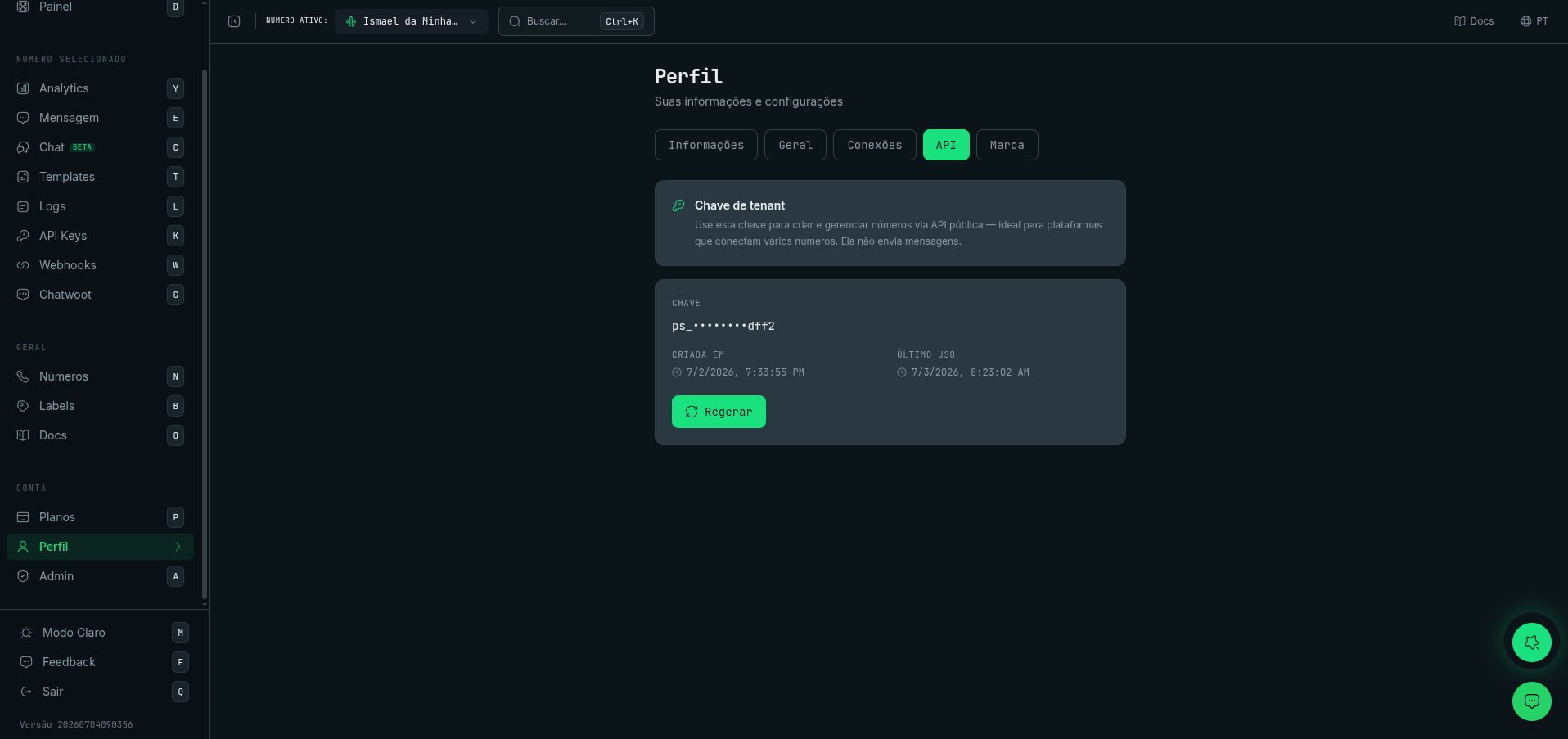
Profile → API — the tenant-scoped key (manages numbers and acts on any of them via the public API).
- It manages numbers via
/v1/numbers/*and/v1/remote-pairing/*, and manages account resources:/v1/api-keys(list every number’s key and regenerate it),/v1/branding,/v1/subscription/extra-numbers,/v1/billing/checkout,/v1/webhooks/*, and/v1/embed/sessions(connect). - It is the only scope that can manage per-number API keys via
POST /v1/api-keys— a number-scoped key cannot. - It can call any per-number endpoint — sending included — by naming the number in the
x-whatsapp-number-idheader. You do not need a separate key per number. - It is generated/regenerated in the dashboard under Profile → API tab.
Acting on a specific number with a tenant key
Sendx-whatsapp-number-id with the id of the number to act as. It accepts either the WhatsAppNumber.id or the primary WhatsAppInstance.id returned by GET /v1/numbers.
{"error":"x-whatsapp-number-id does not name a WhatsApp number of this account | …","code":"NUMBER_NOT_FOUND"}.
Regenerate / rotate keys
Regenerate a number’s default key from the dashboard API Keys page, or via the API:Example requests
Common errors
401— missing or invalidx-api-key/x-api-key-idheader.403— valid key, but operation blocked (e.g., a tenant-scoped key calling a per-number action endpoint →code: "TENANT_SCOPE_NOT_ALLOWED", or a number-scoped key calling a tenant-only endpoint →code: "NUMBER_SCOPE_NOT_ALLOWED").
Security best practices
- Store the key in environment variables / a secret manager.
- Treat the create/regenerate response as sensitive (do not log the full key).