

What Labels are
Labels tag destinations (E.164 phone or WhatsApp group...@g.us) at the tenant scope. Manage them under Config → Labels (/labels): create labels, import CSV/Excel, edit name/destination, copy a contact from one label to another.
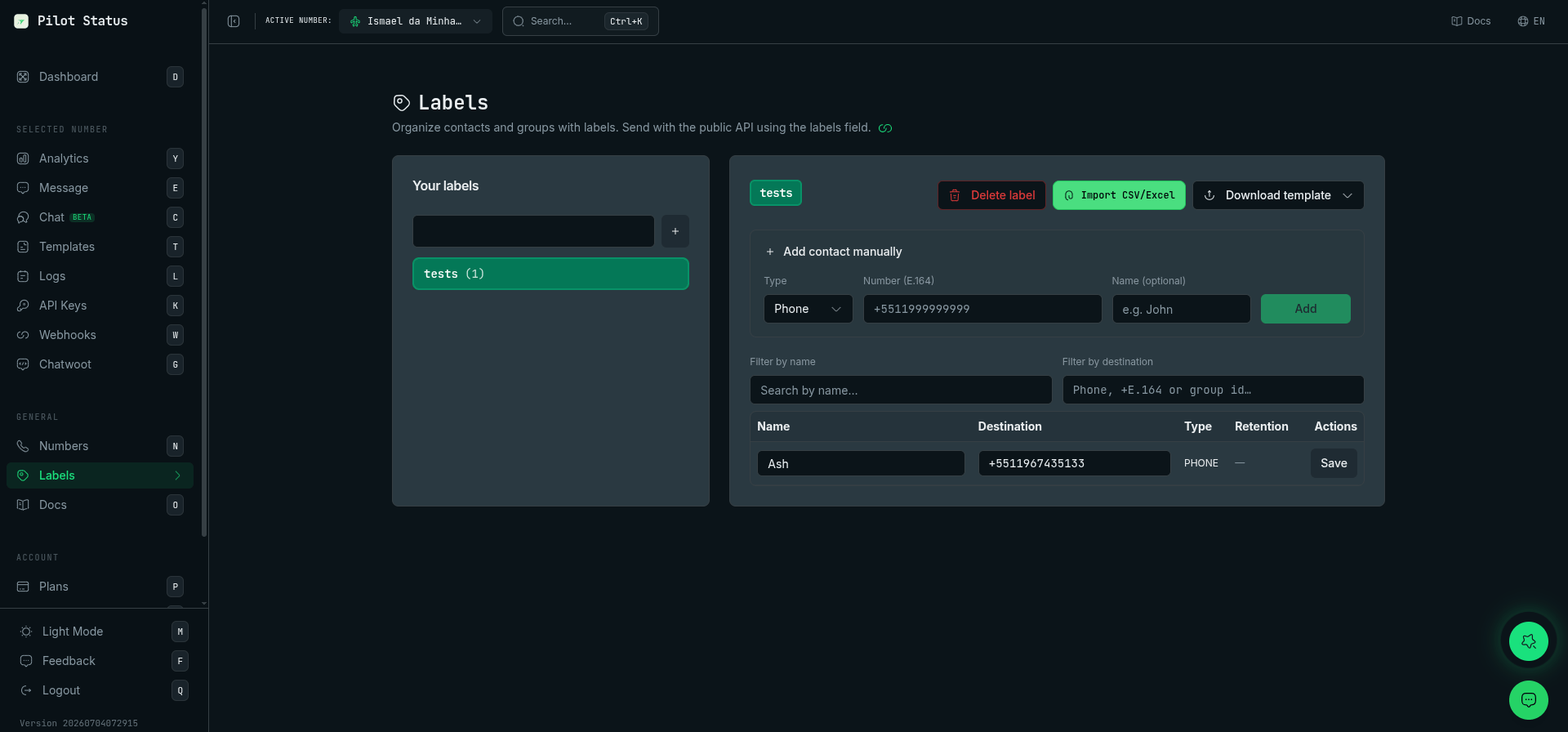
The Labels page — organize contacts and groups into labels, import from CSV/Excel, then pass labels on POST /v1/messages/send.
Public API — send message
OnPOST /v1/messages/send, optionally send:
- Works with
destinationNumberorgroupId. - Label processing is asynchronous: upserts Labels by name and associates the destination.
- The platform may try to fill the contact display name from WhatsApp data on the connected instance when still empty.
Example
Retention (PII)
Retention is governed by the number’s PII mode — changed in the dashboard on the API Keys page (Privacy & retention panel) or on the number’s settings in Numbers:STORE_INDEFINITE(default) — conversations and messages are stored indefinitely.STORE_X_DAYS— only the last N days of chat records are kept; older records are deleted daily.RELAY_ONLY— conversations aren’t persisted. Labels themselves are still created when you passlabelson the send API, but no conversation content is stored.
UI import
- Phone columns: same as Messages (
number,destinationnumber,phone, etc.). - Optional group column:
groupId,group— if it ends with@g.us, the row is treated as GROUP. - If the same destination already exists in the label with an empty name and the import provides a name, the name is updated.