

Pilot Status API Overview
Pilot Status is a platform for sending WhatsApp messages (transactional and marketing/bulk) with template control, versioning, and operational visibility via dashboard, API, and webhooks.Base URL
Authentication
Every request requires an API key sent in thex-api-key header (or x-api-key-id with the key ID). Keys use the ps_ prefix.
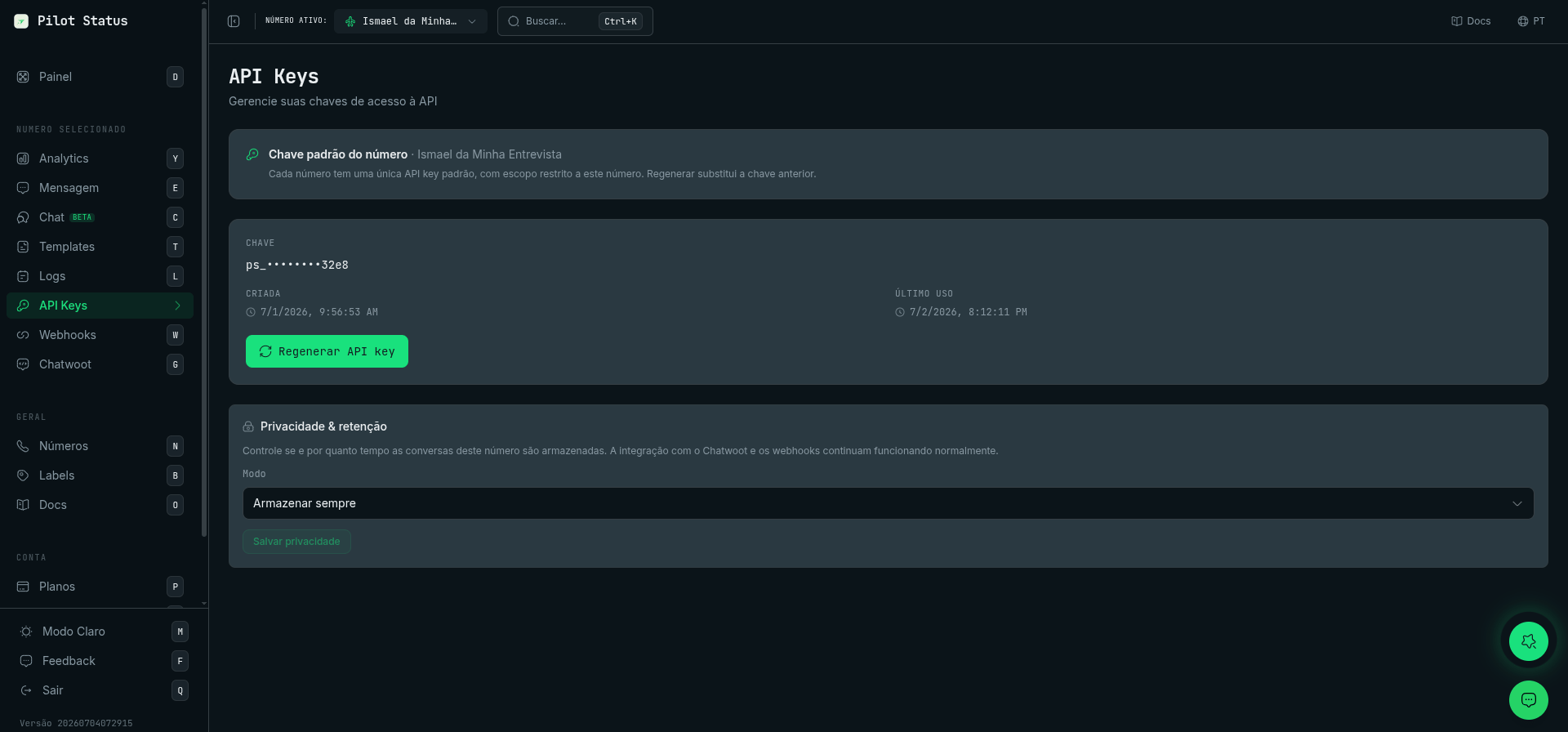
Get (or regenerate) your key on the dashboard's API Keys page — one default key per number.
Key scopes
See API Authentication for details.
Core concepts
- Template: a versioned message model referenced by
templateIdon API sends. For Meta numbers, templates are submitted to Meta for approval; for unofficial (Pilot Status web) numbers, they are created locally without an approval step. - Message: a send attempt created by
POST /v1/messages/send. - Webhooks: delivery events (sent/delivered/read/failed) and inbound messages (reply/received/group).
- Read receipts:
READstatus,readAt, and themessage.readwebhook only occur when the recipient contact has WhatsApp read receipts enabled.
Typical integration flow
1
Create templates
Create templates in the dashboard (
/templates).2
Connect WhatsApp
Configure your WhatsApp number/instance in the dashboard (
/profile and /numbers).3
Create an API key
Create an API key on the
/api-keys page.4
Send messages
Send messages with
POST /v1/messages/send.5
Track delivery
Query status with
GET /v1/messages/{messageId} and/or consume events via webhooks.