

Connect page branding (white-label)
The public connect page (/connect/{token}) — where your end customer scans the QR code or runs Meta Embedded Signup to connect a WhatsApp number (see Remote Pairing) — can be branded per tenant. Your customers see your brand instead of “Pilot Status”.
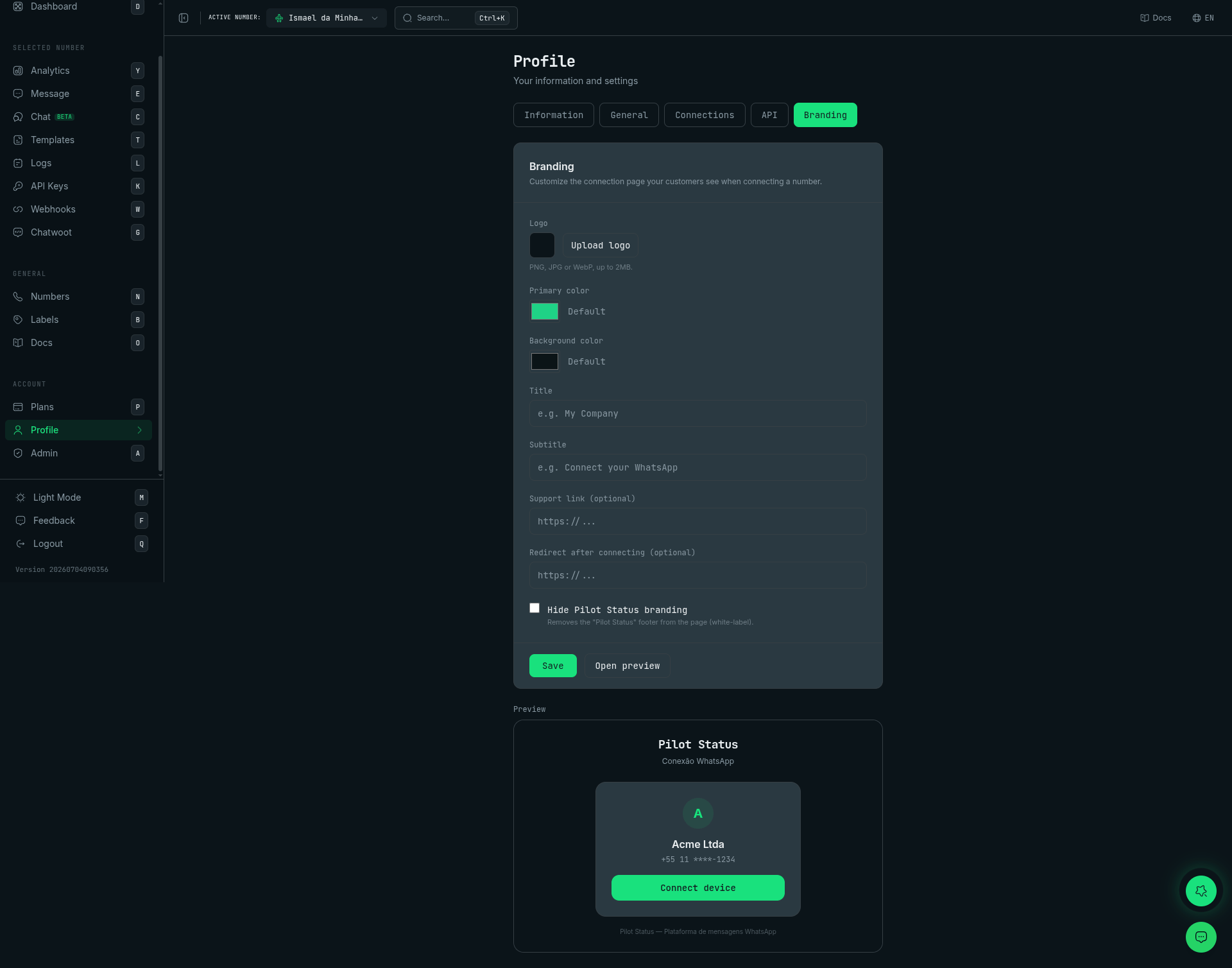
Profile → Branding — logo, colors, title, support link, white-label toggle, and a live preview of the customer connect page.
What you can customize
Colors are stored as hex and converted to the page’s theme automatically.
Four ways to configure it
Resolution precedence (highest → lowest):1) Dashboard (recommended)
Profile → Marca: upload a logo, pick colors, set the title/subtitle/support link, toggle white-label, and see a live preview. This branding applies to all of the tenant’s connect links.2) Public API — GET / PUT /v1/branding
Requires a tenant-scoped API key. Number-scoped keys get
403 (NUMBER_SCOPE_NOT_ALLOWED).PUT fields are optional — send null to clear a field, omit a key to leave it unchanged.
Logo upload (dashboard session): POST /api/branding/logo accepts a multipart file (PNG / JPG / WebP, ≤ 2 MB) and returns { url, key, mimeType, fileName, sizeBytes }. Use the returned url as logoUrl in PUT /v1/branding.
3) Per-link override
When you create a pairing link, pass abranding object to override branding for just that link (it is snapshotted onto the token and overrides the saved tenant branding):
4) URL query params (cosmetic only)
Append whitelisted, sanitized params to a connect link to tweak appearance on the fly. These are cosmetic only — they never change which tenant/number is paired:logo (https), primary (hex), bg (hex), title, subtitle, support (https), hideBranding (1/true).
Public branding endpoint
The connect page reads its branding from:GET /v1/remote-pairing/{token}→ includes a resolvedbrandingobject, orGET /v1/connect/{token}/branding→{ branding }(used by the Meta Embedded Signup flow; always200, falling back to Pilot Status defaults for an unknown token).
Notes
- Branding is per tenant; a single saved branding applies to every connect link, with optional per-link and query-param overrides on top.
hidePilotStatusBranding: trueremoves the Pilot Status attribution (white-label). Use it to present the connection flow fully under your own brand.- Query-param overrides are intentionally limited to appearance; the token still gates the actual pairing.