

Configure webhooks
Manage the full webhook lifecycle via the public API — or use the dashboard Webhooks page (/webhooks). A webhook is configured per number; once configured, events are delivered automatically (no API-key linking is required).
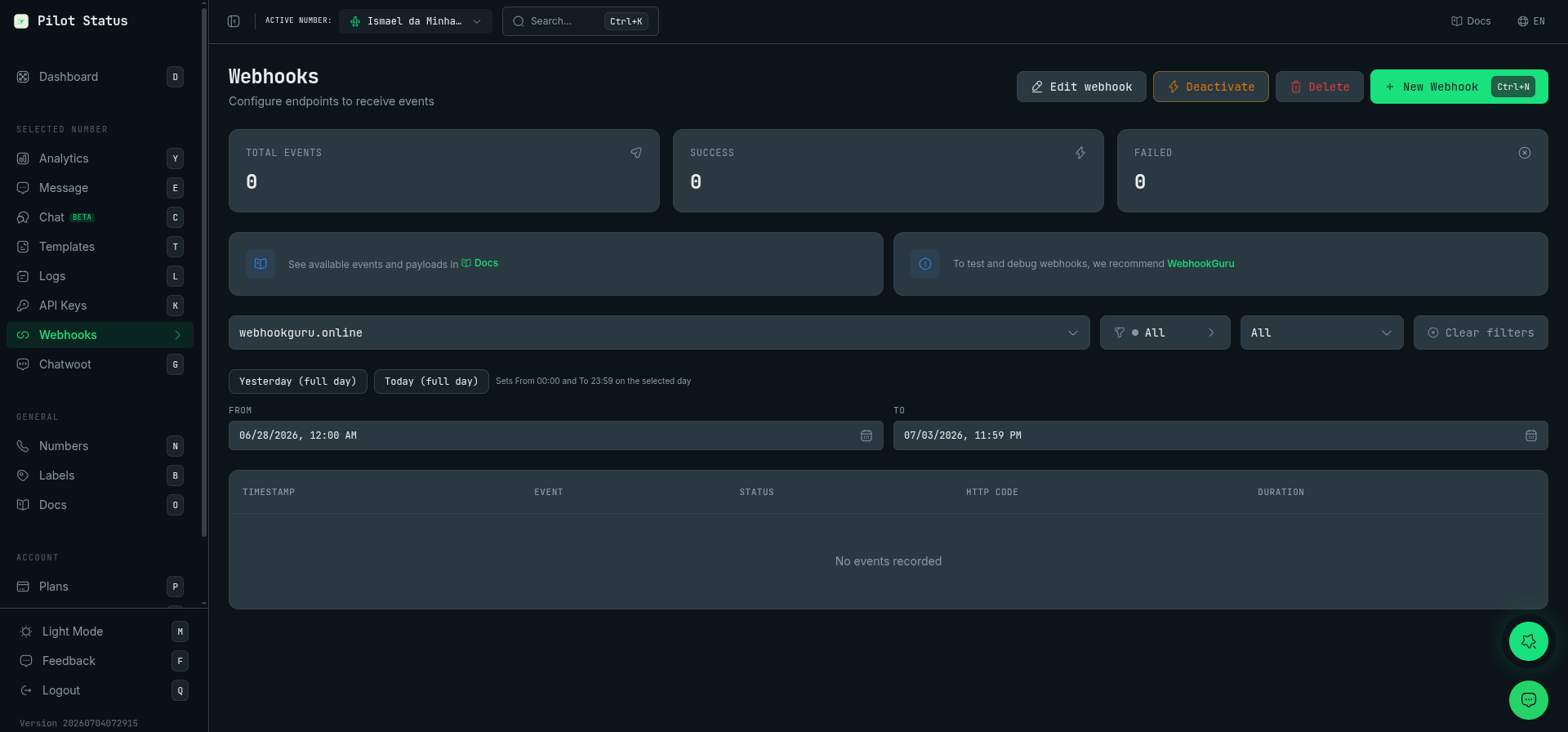
The Webhooks page — create, edit, deactivate, or delete a webhook and inspect its delivery events.
Endpoints
Number scoping
A webhook belongs to a single WhatsApp number.- With a number-scoped key the number comes from the key itself; a
whatsappNumberIdin the body must match it (else 400NUMBER_MISMATCH). - With a tenant-scoped key, pass the target number via the
whatsappNumberIdbody field or thex-whatsapp-number-idheader — omitting both returns 400NUMBER_REQUIRED; a number outside your tenant returns 404NUMBER_NOT_FOUND. GET /v1/webhookslists only the webhooks visible to the key’s scope (a number-scoped key sees only its own number’s webhooks). A webhook outside the key’s scope returns 404WEBHOOK_NOT_FOUND.
Examples
Reading delivery logs
GET /v1/webhooks/{id}/logs returns the recent attempts, newest first. Two fields together
tell you where an attempt died:
A
statusCode of null is the case worth reading closely: nothing reached your server, so no
status exists. response then carries the chain of causes, outermost first, joined by <-
and tagged with the system error code:
Treat
response as a diagnostic string, not a contract. The wording comes from the
runtime and can change between releases; branch on status and statusCode, and read
response when you need to know why.FAILED row does not mean the event was lost — look for a later SUCCESS on the same event.
Event gating
- On
PATCH,eventsreplaces the whole subscription list (it is not a merge). - Events the number’s provider cannot emit are silently dropped.
Rules and errors
The signing
secret is never returned by any of these endpoints.How many webhooks per number
A number can carry more than one webhook. Scoping is many-to-many: every active webhook subscribed to the number receives the events it subscribed to, and a second one does not replace the first. Use that to split concerns — one endpoint for conversations, another for health and monitoring. The single refusal is an exact duplicate: the sameurl on the same number — 409 WEBHOOK_DUPLICATE. There is no legitimate reason for two, and the integration that created instead of updating used to pile up rows in silence; it now gets a conflict. A workspace-wide cap of 50 webhooks also applies (409 WEBHOOK_LIMIT_REACHED) — deliberately loose, since a tenant with many numbers may want one per number.
Two endpoints on the same number
Verify the signature
Every webhook created from 2026-09-15 onward is signed by birth. Creation mints a secret and returns it in clear on that201 — the only response in the life of a secret that carries it. Nothing reads it back.
Rotate — or mint one for an older webhook
x-pilot-status-signature carries the hex-encoded HMAC-SHA256 of the raw request body, keyed with the secret. Compute the HMAC over the raw bytes exactly as received (before any JSON parsing) and compare in constant time:
Node
Deduplicate retries: Idempotency-Key
When it is present, Idempotency-Key is stable per event: a retry, a backoff replay and a failover replay of the same event all carry the same value, so it is the right key to dedupe on. The same value is also merged into the delivered JSON body as a top-level idempotencyKey field, so you can read it from either place.
Dashboard
Everything above is also available in the dashboard at/webhooks: create/edit webhooks per number, pick events, pause/resume, and inspect delivery logs. The New/Edit Webhook UI includes the notice that message.read only fires when the recipient has WhatsApp read receipts enabled.