

Extra numbers & On Demand
Buy an extra WhatsApp number via the public API with a tenant-scoped key. Pricing follows the On Demand model: you pay a monthly price per connected number (set per-tenant by the Pilot Status team) and get unlimited messages on every number.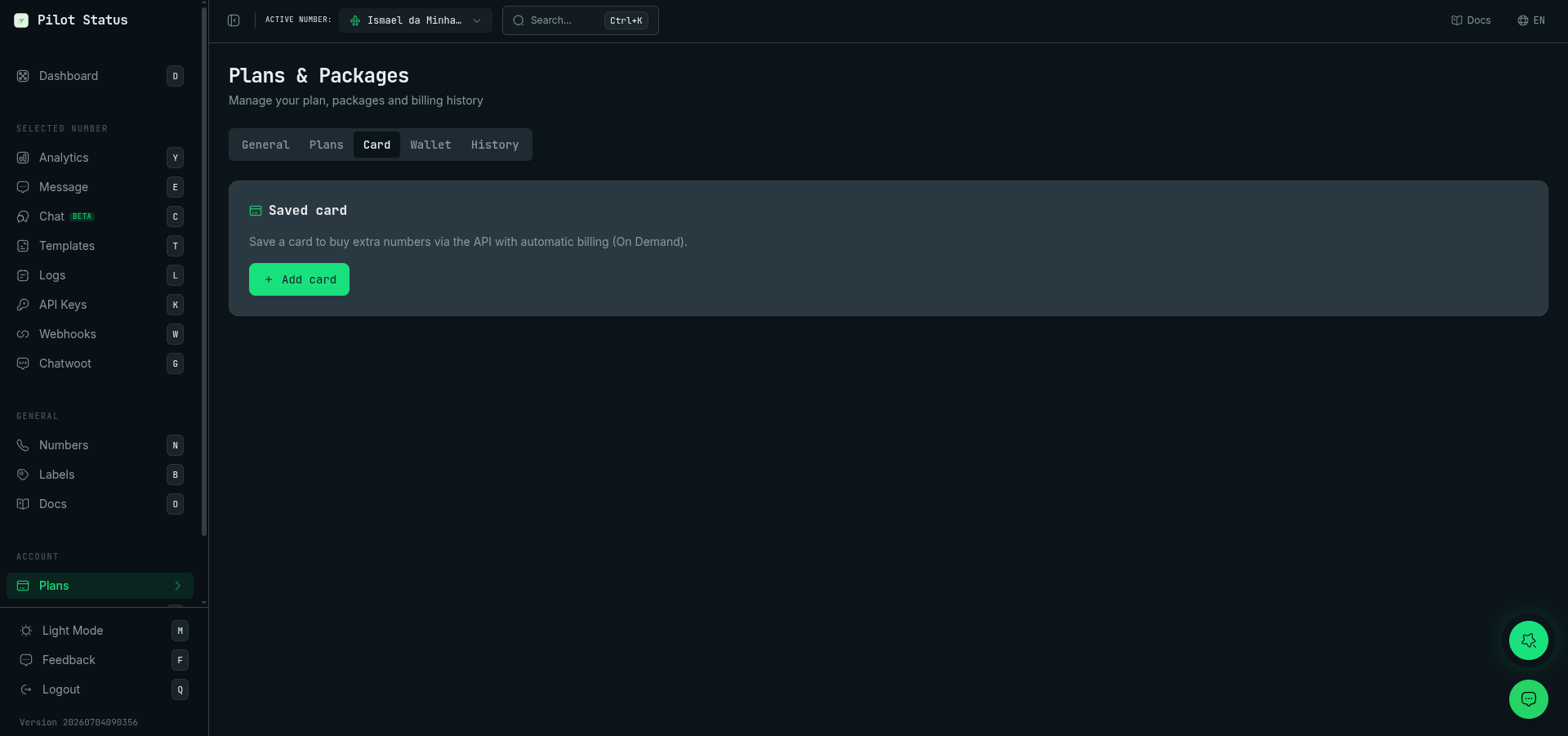
The Card tab in Plans — save a card once and extra numbers bought via the API bill automatically (On Demand).
Number-scoped keys get 403 — use the tenant-scoped key (dashboard Profile → API).
Charged at the first connection
An extra number is a WhatsApp number past the capacity your workspace has paid for: the plan’s allowance, plus the extra numbers you bought, plus any that were granted to you. It is charged when the number first connects — on every plan, and whichever way it was connected: the dashboard, the API, the MCP server, a remote pairing link or Meta Embedded Signup.- Creating a number charges nothing. Neither does generating a pairing link.
- A number that never connected does not count toward your capacity or your monthly bill. You pay only for the numbers that were actually paired.
- On a paid plan the charge is automatic. It is the same purchase as
POST /v1/subscription/extra-numbersfor one number: prorated for the days left in the cycle, wallet credits first, the remainder on the saved card. The Free plan never buys by itself — see Free plan. - Buying ahead still works. A number that connects within the capacity you already paid for is not charged again.
- For an unofficial number the first connection is the first time its QR code or pairing code is completed. For an official (Meta Cloud API) number it is when the number is activated — for example, when the Embedded Signup finishes.
One refusal is left at creation. On a paid plan, when the next number would be an extra number and the workspace has neither the wallet balance to cover it nor a saved card, creating the number — or its pairing link — still answers
402 with INSUFFICIENT_FUNDS or PLAN_NUMBER_LIMIT_REACHED. On the Free plan a number past the plan’s allowance is refused with 402 PLAN_NUMBER_LIMIT_REACHED whatever the balance. The body is unchanged: see capacity errors.Free plan
The Free plan never buys an extra number by itself. Buying an extra number on Free converts the account to On Demand and turns the number you already had into a paid one. That only happens through the explicit purchase, which asks for confirmation: the buy dialog in the dashboard, orPOST /v1/subscription/extra-numbers with confirm: true. A Free workspace is never converted or charged by connecting a number.
- Creating a number past the plan’s allowance is refused with
402 PLAN_NUMBER_LIMIT_REACHED, even when the workspace has wallet balance or a saved card. On the paid plans, funds let the creation through and the extra is charged at the first connection. - Pairing a number that never connected is refused too when the plan’s allowance is already full.
GET /v1/numbers/{id}/connect, the connect step of a remote pairing link, andPOST /v1/numbers/remote-pairingfor a phone that already exists answer402 PLAN_NUMBER_LIMIT_REACHED. Re-pairing a number that had already connected is never refused. - If a second number connects anyway — two pairings started side by side — nothing is charged and the plan does not change. The number stays connected with sending blocked (
409 NUMBER_BLOCKED,reason: "extra_charge_unpaid"), andPOST /v1/numbers/{id}/payanswers402 PLAN_NUMBER_LIMIT_REACHEDfor it. A top-up or a saved card does not lift this block.
POST /v1/numbers/{id}/pay, which answers not_required.
When the charge is refused
If the card is declined or there are no funds, the number stays connected, but sending from it is blocked until the charge is paid:POST /v1/messages/sendanswers409 NUMBER_BLOCKEDwithreason: "extra_charge_unpaid".- A message that was already queued fails, and shows
NUMBER_BLOCKEDin the logs. GET /v1/numbersandGET /v1/numbers/{id}showextraChargeUnpaidSinceon the number.
A charge that could not be concluded is not a refusal. When the payment processor cannot be reached, nothing is blocked: the number keeps sending, and the charge is retried automatically every 15 minutes.
What lifts the block
If your plan’s own renewal is overdue, a top-up or a saved card pays the renewal first.
On the Free plan none of the four applies: see Free plan.
The block also lifts by itself, within 15 minutes, when your capacity comes to cover the number — for example, after you buy an extra number with
POST /v1/subscription/extra-numbers.
After 7 days unpaid
- A number connected by QR code that stays unpaid for 7 days is disconnected: its device is logged out and the number stops counting toward your capacity. A reminder is sent 2 days before, and
extraChargeDisconnectAton the number tells you when. Connecting it again is a new first connection, charged again. - A Meta Cloud API number is never disconnected. It stays blocked for sending until it is paid.
GET /v1/subscription/extra-numbers — Preview (dry-run)
proratedTotal is what you are charged now; monthlyTotalBRL is what recurs every cycle after that:
You only pay for the days left in the cycle. The first charge is prorated:
proratedUnitPrice = unitPriceMonthly × (remainingDays / totalDaysInCycle). In the example above, half the cycle is left, so 2 numbers × R$14,95 = R$29,90 now, and R$59,80/month from the next cycle on.fundingSource tells you how the charge will be covered — credits (the wallet covers all of proratedTotal), credits+card (part credits, the rest on the saved card), card, or none. none means the wallet does not cover proratedTotal and there is no saved card (hasSavedCard: false): canFund is false, and the POST answers 402 INSUFFICIENT_FUNDS without charging anything. It does not return a checkout link — top the wallet up or save a card first (POST /v1/billing/checkout, below).
POST /v1/subscription/extra-numbers — Buy
- Free → On Demand conversion. If you are on the Free plan, buying an extra number moves you to On Demand: your current (formerly free, 200-message-limited) number becomes a paid, unlimited number and the new number is billed too. So buying 1 extra while Free bills you for 2 numbers. Because this changes what you pay, the
POSTreturns 409CONFIRMATION_REQUIRED(with the preview) unless you sendconfirm: true. - Already On Demand / paid. Buying increments your number count; messages stay unlimited.
- Payment. The prorated cost is charged on the spot: from your prepaid wallet first, then any remainder from your saved card (dashboard Plans → Cartão, or
POST /v1/billing/checkoutwithadd_card). A successful purchase answers{ "success": true, "charged": true, … }—creditsUsedandcardChargedshow how the charge was split, andpaidExtraNumbersalready includes the new slot, so you can create the number withPOST /v1/numbersright away. This route never returns a checkout link (there is nocheckoutUrl, andchargedis neverfalse): with neither enough credits nor a saved card it returns402 INSUFFICIENT_FUNDS— nothing is charged, and any credits it had started to use are put back. Top up or save a card, then retry. - The monthly recurrence comes out of the wallet, not a separate subscription. Each cycle,
paidExtraNumbers × unit priceis debited from your credits, falling back to your saved card. Top the wallet up withPOST /v1/billing/checkout(wallet_topup, card only) or in the dashboard, where PIX is also available — so you can run On Demand on PIX credits topped up in the dashboard and never save a card.
Keep either credits or a saved card available. If a cycle’s charge cannot be funded, you get 2 days to add credits or update the card before all your numbers stop sending (inbound keeps working). Adding funds reactivates immediately.
To lower your paid capacity, see the scheduled-reduction section below.
When the payment does not go through
POST /v1/subscription/extra-numbers distinguishes three failures, and they do not share a remedy. Branch on code, never on the HTTP status: two of the three are 402.
Every one of these bodies carries
proratedTotal and currency, so you can show the amount that was attempted. INSUFFICIENT_FUNDS also carries walletReason, which on this route is always NO_CARD.
This is the INSUFFICIENT_FUNDS body when the credits do not cover the charge and there is no saved card (error is a human-readable message, in Portuguese — branch on code):
In all three cases the extra number was not added. Your
paidExtraNumbers is unchanged and no slot was unlocked — every write is downstream of a successful charge.The declineCode field
PAYMENT_FAILED sometimes carries declineCode. When present, it is the card network’s own decline code, verbatim (insufficient_funds, expired_card, card_not_supported, …) — safe to show to the cardholder or to branch on.
⚠️ Its absence tells you nothing. A PAYMENT_FAILED with no declineCode is a payment that did not go through for a reason we could not attribute to the card — a rate limit on the request, an expired integration key, a payment intent left in a non-succeeded state. We do not invent a code to fill the field. So:
- Treat
code: "PAYMENT_FAILED"as the decision. It is always present and always means the same thing. - Use
declineCodeonly to refine the message when it is there. - Never read “no
declineCode” as “not a decline” — and never as “the card is fine”.
declineCode never appears on INSUFFICIENT_FUNDS or PAYMENT_PROVIDER_ERROR. Neither is a card decline.Paid capacity is a 30-day entitlement
When you buy extra numbers, that capacity is yours for the full 30-day cycle. Two consequences:- Deleting a number does not reduce your paid capacity.
DELETE /v1/numbers/<id>frees the slot so you can reconnect a different number in the same cycle — your paid count and your bill stay the same until the cycle ends. - Reducing capacity is an explicit, scheduled action. You decide to lower the number of paid slots; the change takes effect at the next cycle, when billing drops to the new amount. Nothing is refunded for the running cycle.
Pay As You Go works differently
On Pay As You Go there is no capacity to buy back or schedule away — you pay for the numbers you have connected:- A number is charged when it first connects, prorated for the days left in the cycle — the same rule as on every plan, described above. For an unofficial number that is the first connection; for an official (Meta) number it is when the Embedded Signup finishes.
- The slot you paid for lasts the cycle. Deleting a number and connecting another one in its place does not charge again.
- The next cycle bills only what is still connected. Nothing accumulates from the previous cycle, so there is nothing to schedule down — see the
409 NOT_APPLICABLE_FOR_PLANon the endpoint below. - A pairing you never finished is not a number and is not billed. The “awaiting connection” row that appears while your end user is inside the Facebook dialog is excluded from billing and from your capacity, and it is removed automatically 24h after it was created.
DELETE /v1/subscription/extra-numbers — Schedule a reduction
Schedules a reduction ofquantity paid slot(s) for the next cycle:
- Scheduled, not immediate. This cycle keeps the current capacity (no refund); the reduction applies at the next rollover, when future months bill less.
- Editable. Calling again overwrites the scheduled target. Cancel it with
DELETE …/schedule(below). - Cannot drop below connected numbers. If the target would leave your limit under the numbers you still have connected, it returns 409
NUMBER_LIMIT_EXCEEDED({ currentNumberCount, maxNumbers }) — delete a number first. - Not available on Pay As You Go. Returns 409
NOT_APPLICABLE_FOR_PLAN. There is no paid capacity to give back: Pay As You Go bills the numbers you have connected, and the next cycle already charges only what stayed connected. To pay less, delete the number — scheduling nothing is required. quantitydefaults to1and is clamped so you never go below0paid extras. Number-scoped keys get 403.
paidExtraNumbers stays at the current (this-cycle) value; scheduledPaidExtraNumbers is the target that takes effect next cycle:
DELETE /v1/subscription/extra-numbers/schedule — Cancel the scheduled reduction
Cancels a pending reduction so the next cycle keeps your current paid capacity. No-op if nothing is scheduled.POST /v1/billing/checkout — Wallet top-up / add a card
Generates a hosted checkout URL for billing actions:purpose: "wallet_topup"— top up the prepaid wallet. Card only: the hosted Stripe checkout offers no PIX — PIX top-ups exist only in the dashboard (BRL accounts). Requiresamount: a positive number, in your account currency (the wallet’sBRLorUSD— it cannot be chosen per request). Missing, zero, negative or non-numeric returns400{ "error": "amount must be a positive number", "code": "INVALID_AMOUNT" }.purpose: "add_card"— save a card for future On Demand charges.
url to open in the browser. For wallet_topup it also carries the orderId, amount and currency: