

Message Status
id (e.g., msg_abc) from POST /v1/messages/send, query its current status.
To list and filter many messages (sent and received), see GET /v1/messages.
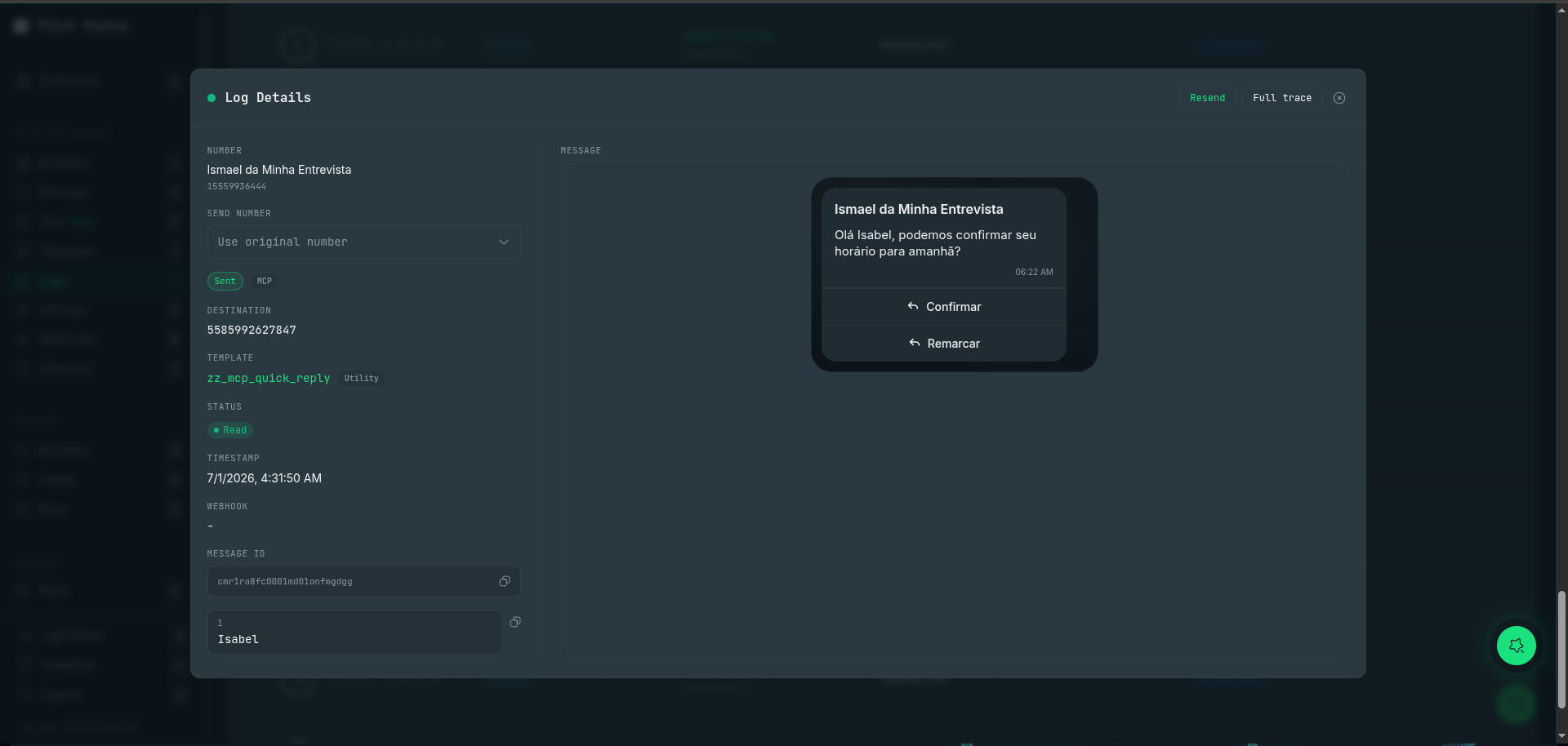
Log Details in the dashboard — the rendered message, template, live status (Read), and the same messageId you query via the API.
{messageId} accepts the internal message id returned by the send endpoint, the correlationId, or the provider WhatsApp message ID (wamid).On an official (Meta) number this
id also comes back inside Meta’s native status, as statuses[].biz_opaque_callback_data, so you can match the status to your send without calling this endpoint.Example
Response (200)
A failed send on an official number
A free-form message sent to an official (Meta) number after the 24-hour service window closed. Meta accepts the request and fails it afterwards, so the message has a wamid and asentAt. There is no template key because the send used no template.
string | null
Machine-readable reason for a failure, from a set listed in Log Error Codes. It is the same value
GET /v1/messages returns for the same message. null when there is no error, and always null on DELIVERED, READ, PLAYED and CANCELED.Branch on errorCode, never on errorMessage. errorMessage is text for people, and its wording is not a contract. The set of codes grows, so treat a code you do not recognise as “needs review” rather than as an error.If the webhook for a send never arrived, query this endpoint by id, correlationId or wamid and classify the outcome by errorCode.string | null
The provider’s message id — on an official number, Meta’s wamid.
null until the provider accepts the message, so it stays null on a message still QUEUED or refused before it left.string
Name of the template the message was sent with. The key is omitted, not
null, when the send used no template.string | null
Which rail the message went out on:
API, MCP, CHATWOOT, CHAT, DASHBOARD, SYSTEM, or null. Three kinds of outbound message appear only on GET /v1/messages and have no detail here (404), because Pilot Status did not send them: APP (the WhatsApp Business app on the phone, or another tool on the same WABA), LAYER (a client of the Meta layer), and CHATWOOT replies sent from a native WhatsApp Cloud inbox. A CHATWOOT reply from an API mirror inbox does have detail here.⚠️ null does not mean “inbound”. For that, read direction on GET /v1/messages. A null on an OUT row is unclassified outbound — counting it as inbound undercounts your own sends in a billing report.object | null
Meta’s own verdict on what this message was billed as —
conversationId, originType, category and type. null until Meta reports it.type separates regular (billed) from free_entry_point (window opened by an ad click) and free_customer_service (inside the service allowance).Do not infer the category from the template you sent. Meta recategorizes templates (
template_category_update), and the same send lands as free_entry_point or free_customer_service depending on how the window opened. Use metaPricing above.The same information arrives in real time on your webhook, as pricing.category / pricing.type inside value.statuses[] of the native envelope. externalMessageId (the wamid) is the field that joins the two.Statuses
Read receipts:
READ status and readAt are only available when the contact who received the message has read receipts enabled in WhatsApp (Settings > Privacy > Read receipts). Otherwise the lifecycle may stop at DELIVERED. The same applies to Logs and the message.read webhook.PLAYED is a new value. It is returned on official (Meta Cloud API) numbers for
voice notes (mediaType: "voice") when the recipient listens to them, and it ranks
above READ: a message that reaches PLAYED will not go back to READ. If your
integration branches on status with an exhaustive switch or a fixed list, add
PLAYED before it starts appearing — code that treats an unknown status as an error
will see one. On official numbers mediaType: "audio" arrives as an audio file, not a
voice note, and does not reach PLAYED. On unofficial numbers a voice note that was
listened to shows as READ.Common errors
401— missing/invalid API key header (x-api-key/x-api-key-id).404— message not found within the key’s scope.