

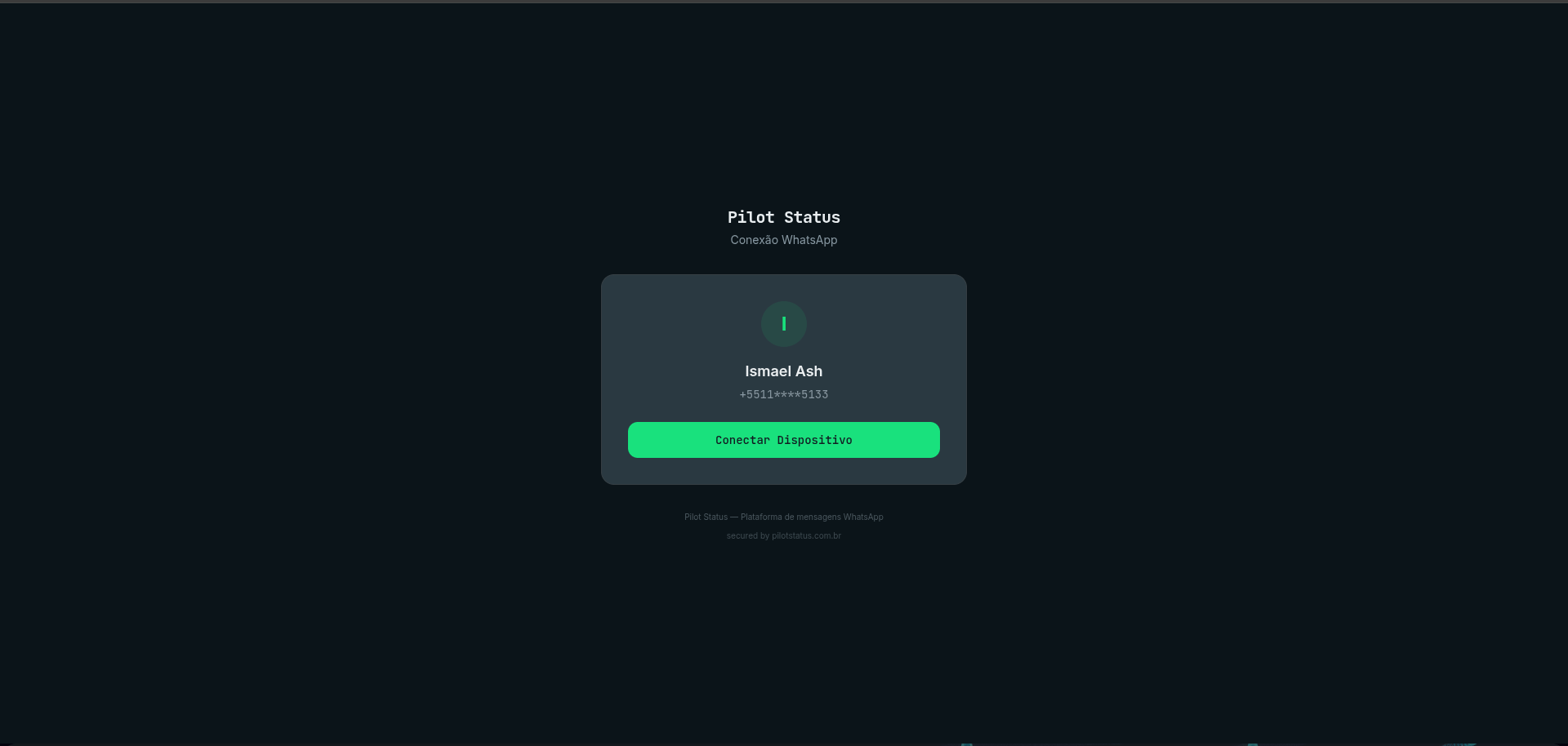
The hosted connect page your customer sees — brandable logo, colors, and title, with a single Connect Device button.
This page is the reference — every option, both providers, the full postMessage protocol, and the complete
branding.button table. If you are wiring the official Cloud API onboarding for the first time, start with the step-by-step instead: Embedded Signup in your app walks the four calls end to end, with copy-paste backend and frontend code. Come back here for the field-level detail.Key difference vs. Chat: Connect does not use the
POST /v1/embed/sessions token. It uses the remote-pairing token minted by POST /v1/numbers/remote-pairing, and that token lives in the iframe URL path (/connect/<token>), not in memory via postMessage.Token shape and TTL
The token you get back depends onprovider — they are not the same object and they do not share a TTL:
Mint the Meta link when the user is about to click, not hours ahead — 30 minutes is short on purpose. When it lapses the iframe emits
connect:expired; mint a new one.
Flow
1
Backend creates the pairing link
201 in both cases. remotePairingUrl is https://connect.pilotstatus.com.br/connect/<token>; the token is the last path segment. Forward only the token (or the URL) to your frontend — never the ps_ key.For provider: "META", name/number are not required: the end-user picks the number inside the Facebook dialog. For PILOT_STATUS, both are required.warnings on a QR pairing. externalRef and redirectUrl ride the Meta signed session, and a QR link has none — so on PILOT_STATUS they are accepted but cannot be honored. Each one you send is reported back in a warnings array (string[]) on the 201, and the pairing still succeeds; it is not a 400. The field is absent when there is nothing to report. Read it in your integration tests — it is how you find out a value you passed was ignored instead of applied.linkToApiKey is retired — and linkedApiKeyId is always null. The option is gone from all three provisioning routes (POST /v1/numbers, POST /v1/numbers/meta, POST /v1/numbers/remote-pairing). Sending it is still accepted, so a caller that has it in its payload today does not break, but it does nothing: no API key is touched, and linkedApiKeyId on the 201 never carries an id. It used to re-point a number-scoped key at the number that had just been created, silently unscoping it from the number it was actually bound to.The per-link branding field is
branding (not brandingOverride). externalRef (max 200 chars) is your own customer id — it is signed into the Meta token and echoed back to you on connect:paired.2
Frontend embeds it
The SDK builds the iframe URL from the token — you pass only the token:
ConnectOptions: token (required), baseUrl? (default https://connect.pilotstatus.com.br), mode? ("page" | "button" — omit for auto, see Button mode), onPaired(d), onError(e), onExpired().Button mode
Button mode renders only the Facebook Embedded Signup button — no header, no card, no timeline, transparent background, height driven by the existingresize message. Everything else (token, postMessage protocol, callbacks) is identical to page mode.
Use it when you already have your own onboarding screen and the hosted card would be a second, competing UI inside it. Use page mode when you want the full explanatory flow, or for QR pairing.
Which mode a link renders
A link minted withbranding.button renders the button by default. Sending that object is the request for a button — there is no second flag to remember, and no way to style a button and then be surprised by a card. Three inputs decide it, in precedence order:
branding.button can only reach a link through the signed token, so auto mode can only fire for a link whose own backend asked for it: there is no tenant-level setting that could flip your other links, and no query parameter that could flip someone else’s.
Button mode also clears the page’s own background (html and body). That is a property of button mode itself, not of being framed — it holds however the URL is loaded. In the normal embed the effect is that your host page shows through the iframe and the button sits on your surface rather than on a stray solid rectangle. Nothing to configure on your side.
metaFlow: "embedded". A metaFlow: "credentials" token ignores button mode — asked for explicitly or reached through auto — and falls back to the full page: the Cloud API credentials form does not fit in a button. QR (PILOT_STATUS) tokens likewise render the full page.
Loading, config-error, expired-token and success states still appear in button mode, inline and minimal — never full-screen.
Facebook validates the origin of the iframe, not of your top-level page. That is the point of this integration: the button runs on
connect.pilotstatus.com.br, a domain already registered with Pilot Status’ Meta app, so you never register your own (or your customer’s) domain.Button styling (token only)
Button appearance is set when you mint the link, insidebranding.button, and is carried in the signed token. Sending it also puts the link in button mode by default, so this one object is the whole request: style a button, and get a button.
remotePairingUrl in a browser to see exactly what your customer will see — the only difference is the “secured by” marker, which shows top-level and hides inside your iframe.
Every field is optional. The built-in
label is the Portuguese string Continuar com o Facebook — set label explicitly for any other locale. Keep the object small: it rides inside the JWT that sits in the connect URL.
variant: "whatsapp"paints the button WhatsApp green (#25D366).iconis an inline brand glyph (SVG, no network call) drawn before the label; it inherits the text color. Omit it and it follows the variant:facebook→ the Facebook glyph,whatsapp→ the WhatsApp glyph, any other variant → no glyph at all. Sendicon: "none"to drop it explicitly.heightis applied as a min-height — the label never clips — and replaces the vertical padding thatsizewould have given the button.widthoverridesfullWidth: whenwidthis present,fullWidthis ignored. Withoutwidth, the button fills its container by default; setfullWidth: falseto shrink it to its content.- Validate before you call. Every bound in the table is enforced when you mint the link: a value outside the allowed range or enum makes
POST /v1/numbers/remote-pairinganswer400 Validation errorwith adetailsbreakdown, and nothing is created — no token, no link, no placeholder. Aheightof1000is a rejected request, not a button silently clamped back to the height implied bysize.
The connect page itself does fall back to the default for any button field it cannot make sense of, but that is a renderer safety net for a stale value already sitting inside a signed token. It is not reachable from the API: a bad value sent to
POST /v1/numbers/remote-pairing gets you a 400, never a defaulted button.The “secured by pilotstatus.com.br” marker
Whether the small provenance marker renders under the button depends on where the page is running — you do not have to configure anything for the normal embedded case. There are exactly three cases:- Framed button mode hides it automatically. The page checks whether it is actually inside a frame (
window.parent !== window); if it is, the marker is dropped. No token field, no switch, nothing to ask for — embed the button and it is already gone. - Top-level button mode keeps it, deliberately. A lone, tenant-styled login button sitting on a
*.pilotstatus.com.brURL with nothing identifying whose page it is, is precisely the surface Safe Browsing flags as deceptive. The marker is what keeps that URL attributable, so it stays whenever the button is not embedded. - The full page always keeps it, including when
hidePilotStatusBrandingis set.
branding.button.hideProvenance: true still exists as an explicit opt-out for the top-level button case, and it is still paired with a server-side switch that Pilot Status controls. That switch is off by default, so setting hideProvenance on its own changes nothing; ask support if you genuinely need it. It cannot be set by query parameter, only in the minted token — and it never affects the full connect page.
postMessage protocol (iframe → parent)
Connect never receives aninit message — the token is already in the URL. The SDK only listens (validating origin === connect.pilotstatus.com.br and source === iframe.contentWindow):
Plan slots and the delete-on-abandon pattern
Remove an abandoned placeholder yourself instead of waiting for the automatic cleanup.connect:error is the signal that an attempt failed — including someone closing the Facebook popup — but it is not the signal to delete: the button is still on screen and they can click again. Note the failed attempt, and run the cleanup when the session is really over without a connect:paired (you closed the modal, they navigated away, you gave up):
DELETE /v1/numbers/{id} and the ps_ key — it leaves your number list immediately instead of sitting there as “awaiting connection”. The cleanup call itself is written out in Embedded Signup.
Where the placeholder id comes from. There are exactly two supported sources, and neither is a listing call:
- The
numberIdclaim inside the Meta token. Split the JWT on.and base64url-decode the middle segment — a metadata read of a token you minted yourself, no signature check needed. - The
numberIdfield onconnect:paired— but that only arrives on success, so it is no help for the abandoned case.
GET /v1/numbers.
connect:paired payload
numberIdis the id you use everywhere else in the API (GET /v1/numbers/{id}, webhooks, sending).externalRefis whatever you passed when minting — join it against your own customer record. It is carried by Meta links; on QR pairing it arrives asnull.- All six fields —
numberId,phone,displayName,provider,externalRef,redirectUrl— are always present: a flow that cannot know one sendsnull, never omits it, so you do not need per-path branching over them. redirectUrl, when present, is not followed while embedded — the iframe hands it to you and lets your page decide whether and where to navigate, instead of blowing out of the frame.
White-label / branding
Precedence: URL query params > per-linkbranding (from the minted token, or snapshotted on the number for QR links) > tenant branding (GET/PUT /v1/branding) > Pilot Status defaults.
Query params are cosmetic-only and deliberately narrow — primary, bg, logo, title, subtitle, support, hideBranding. They are applied only after the token resolves as valid; on an invalid or expired token the page falls back to Pilot Status defaults and ignores them entirely. ?logo must be https and is restricted to the first-party asset host. Button styling and hideProvenance are not part of this set.
Security model
x-api-keystays on your backend; only it callsPOST /v1/numbers/remote-pairing.- The pairing token authorizes only that link’s pairing endpoints, and expires — 30 minutes for a Meta token, 24 hours for a QR pairing token.
- Origins are validated on both sides; the iframe runs on
connect.*so its API calls are same-origin (no CORS surface for your app). - Anything that changes how the page looks to an end-user is authenticated: it comes from a token minted with your key, never from a URL a stranger can type.