Add and Connect WhatsApp Numbers in Pilot Status Dashboard
Add official or unofficial WhatsApp numbers to Pilot Status. Supports Meta Cloud API, Coexistence mode, and non-official connections with managed proxy.
Pilot Status supports two ways to connect a WhatsApp number to your project: an unofficial QR-code-based connection that takes seconds to set up, and an official Meta connection that uses the Cloud API or Coexistence mode for full policy compliance and higher throughput. You can mix both types within the same project.
The Numbers page — connected numbers with provider badges (Unofficial / Embedded Signup) and the Connect Number button.
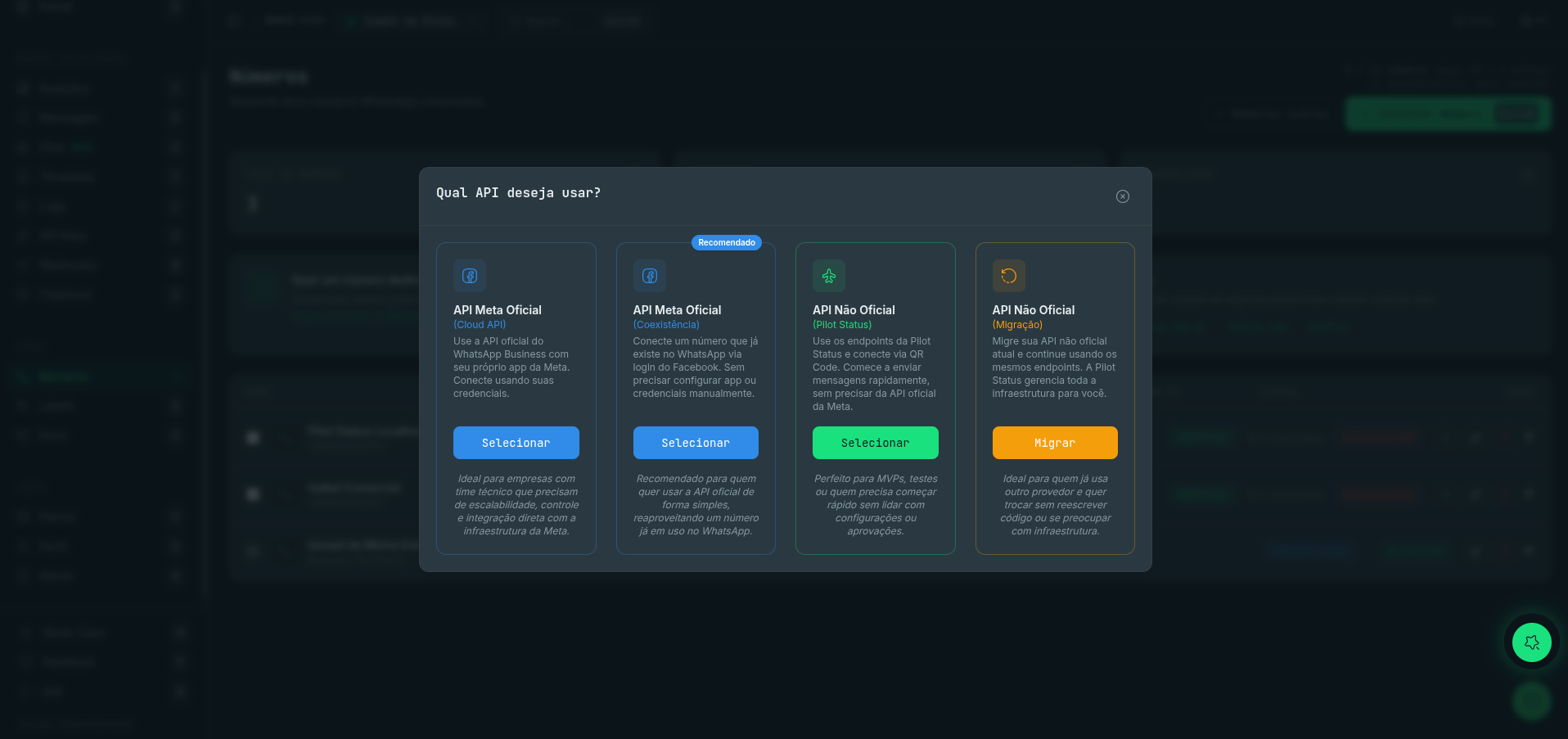
Connecting a number — choose between Meta Cloud API, Meta Coexistence, the unofficial Pilot Status API (QR code), or migration from another provider.
Unofficial (QR Code)
Official (Meta)
The unofficial connection method authenticates your WhatsApp number by linking it as a device — the same flow as WhatsApp Web. Pilot Status handles the managed proxy automatically, so there’s nothing extra to configure.
1
Open the Numbers section
In your Pilot Status dashboard, navigate to Dashboard → Numbers and click Connect Number.
2
Select the Unofficial API card
On the connection type screen, choose the Unofficial API card (Pilot Status / QR Code).
3
Scan the QR code
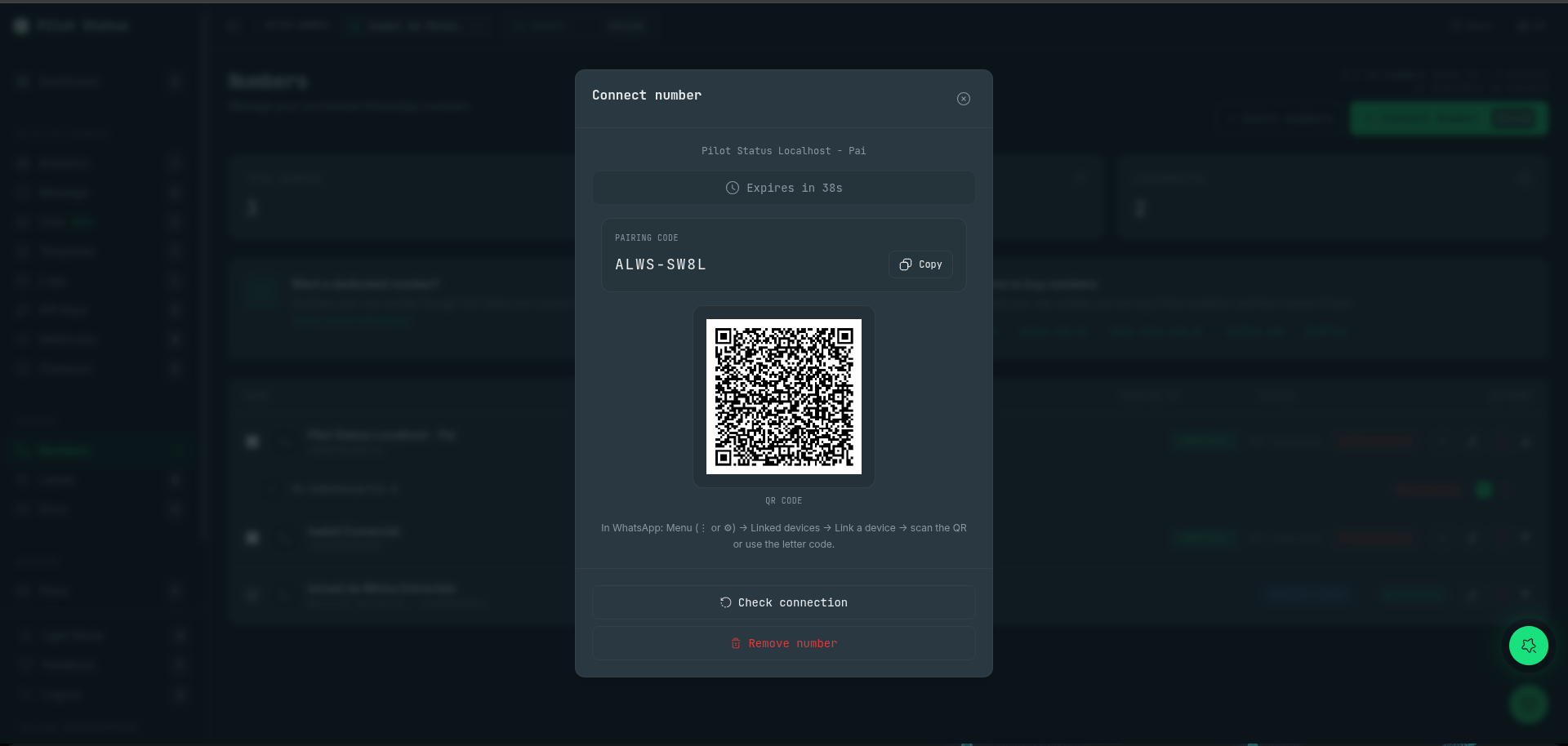
Open WhatsApp on your phone and tap Linked Devices → Link a Device. Point your camera at the QR code displayed in the dashboard.
The Connect number modal — scan the QR code or type the letter pairing code in WhatsApp (Linked devices); codes expire and regenerate automatically.
4
Confirm the connection
Once WhatsApp recognizes the code, your number’s status changes to Connected in the dashboard. You can now start sending and receiving messages via the API.
Unofficial connections include a managed proxy — no VPS or extra configuration needed. Pilot Status maintains the connection and re-routes it automatically if your IP changes.
The official connection uses Meta’s WhatsApp Business API. Choose Cloud API for a fully hosted Meta integration, or Coexistence mode to run the API alongside your existing WhatsApp Business app without interrupting it.
1
Open the Numbers section
In your Pilot Status dashboard, navigate to Dashboard → Numbers and click Connect Number.
2
Select the Official Meta API card
On the connection type screen, choose the Official Meta API card (Cloud API or Coexistence, shown as separate cards).
3
Choose your mode
Select either Cloud API or Coexistence mode depending on your use case. See the note below for guidance on Coexistence.
4
Enter your Meta Business credentials
Provide your Meta Business Account ID, WhatsApp Business Account ID, and the access token generated in your Meta Developer App. Pilot Status uses these to authenticate requests on your behalf.
5
Authorize permissions
Follow the OAuth prompt to grant Pilot Status the required WhatsApp Business API permissions. You must be an admin of the Meta Business account to complete this step.
6
Confirm the connection
Once authorization succeeds, your number’s status changes to Connected. Template messages, Cloud API webhooks, and high-volume sending are all available immediately.
Coexistence mode lets you use the official Meta API while keeping your existing WhatsApp Business app active on the same number. Your team can still use the app for manual conversations while your automations and integrations run through the API.
Every Pilot Status plan supports multiple numbers in a single project. Add numbers up to the limit of your plan — from 1 number on the free tier up to 13 numbers (plus eSIM) on the Enterprise plan. Each number gets its own ID, API scope, and message log.For SaaS products and multi-tenant applications, each of your customers can connect their own WhatsApp number under your project. This keeps message traffic fully isolated per tenant while letting you manage all numbers from one dashboard and one API integration. Pilot Status bills at the project level, so you don’t need a separate account per customer.
Unofficial connections occasionally drop — for example, if the linked phone is offline for an extended period or WhatsApp revokes the session. Official connections are generally more stable, but network interruptions can still cause a temporary disconnect.To reconnect a number, open Dashboard → Numbers, find the number showing a Disconnected status, and click Reconnect. For unofficial numbers, you’ll scan a new QR code. For official numbers, Pilot Status will attempt to re-establish the session using your stored credentials automatically.
WhatsApp’s Terms of Service prohibit sending spam. Always obtain explicit user consent before sending messages to any contact. Violations can result in your number being banned by Meta.