

Send Messages Guide
This guide shows how to send WhatsApp messages via the Pilot Status API. All sends go through a single endpoint:x-api-key: ps_... header (or x-api-key-id) with a number-scoped key — see API Authentication. There is no Bearer-token auth.
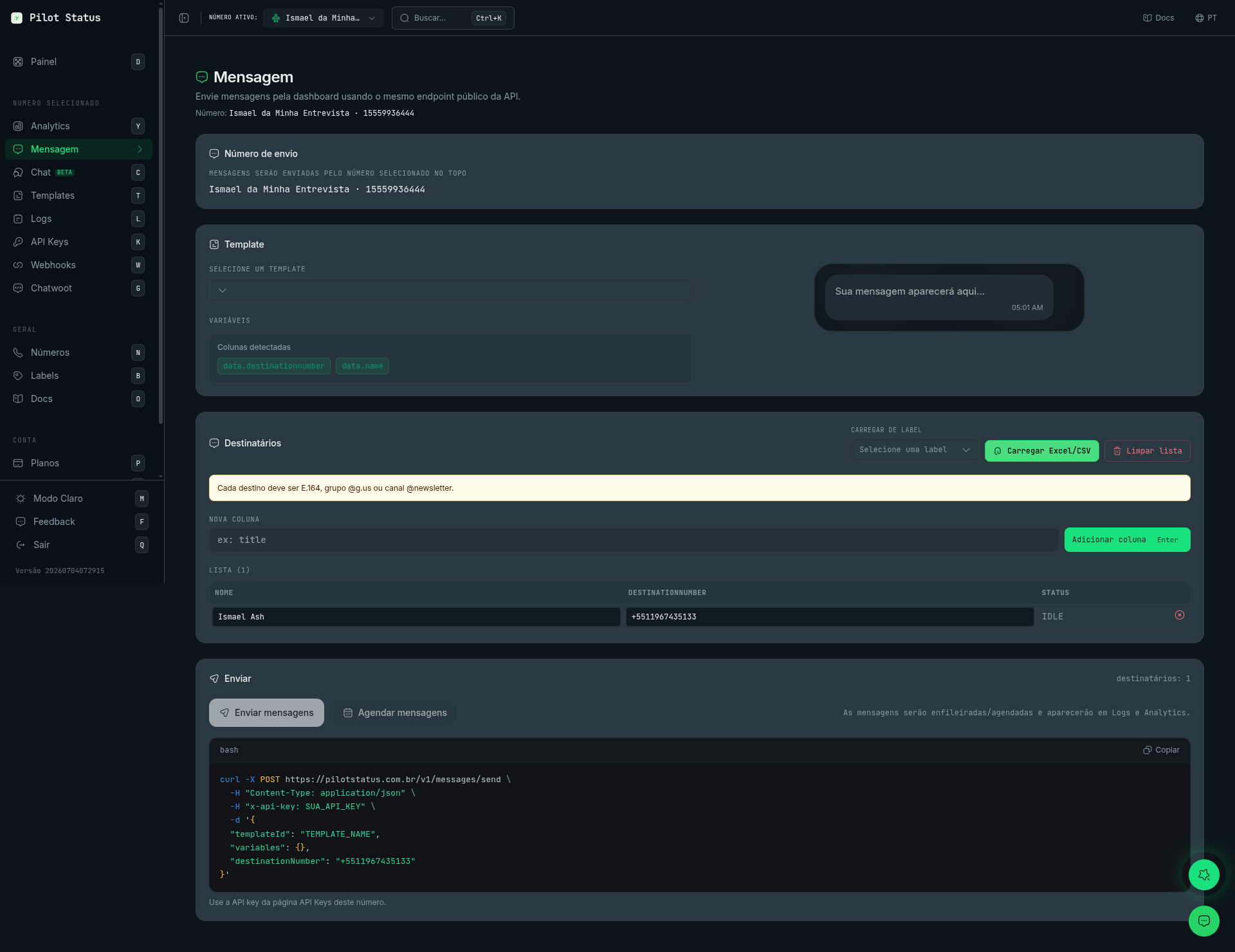
You can also send from the dashboard Message page — it calls the same POST /v1/messages/send endpoint and shows a copy-ready curl.
templateId), free-form text (text), and direct media (media + mediaType). Full reference: POST /v1/messages/send.
Prerequisites
- A connected WhatsApp number (dashboard
/numbers). - An API key for that number (dashboard
/api-keys). - For template sends: a template created in
/templates(Meta numbers require Meta approval).
1. Send a template message
The most reliable mode — works at any time, including outside the 24h window on Meta numbers.2. Send free-form text
Send plain text with thetext field (no templateId).
buttons (and, with buttons, a header/footer) to free-form messages — see the send reference.
3. Send direct media
Send an image, video, document, or audio on its own — providemedia + mediaType, with no templateId and no text. An optional caption is supported for image/video/document (not audio or voice). Use mediaType: "voice" for a WhatsApp voice note (PTT) on any number; mediaType: "audio" arrives as an audio file on official (Meta Cloud API) numbers and as a voice note on unofficial numbers — see Audio and voice notes.
Base64 data URIs are accepted on Meta Cloud API and on unofficial (Pilot Status web) numbers. On unofficial numbers, Pilot Status uploads the decoded file to its own storage and sends the provider a URL; if that upload fails, the message fails with
MEDIA_REHOST_FAILED. For stickers on unofficial numbers, use a public http(s) URL. Base64 goes up to 50 MiB decoded for a document and 16 MiB for every other type — send larger files by URL.4. Track delivery
The202 response returns an id. Persist it and:
- Poll
GET /v1/messages/{id}forQUEUED→SENT→DELIVERED→READ→PLAYED(orFAILED/CANCELED), or - Consume webhooks — the response
idmatches theidfield in themessage.sent,message.delivered,message.read, andmessage.failedevents.
Next steps
- Full field reference and error codes: POST /v1/messages/send
- Scheduling with
deliverAtand canceling: DELETE /v1/messages/cancel - Failure diagnostics: Log Error Codes